Session replay
The customer’s screen, and the request behind it
Replay the customer's screen at the moment it broke, with the error toast and the console. One click takes you to the backend request and its trace.
01 · What they saw
Stop asking customers for screenshots
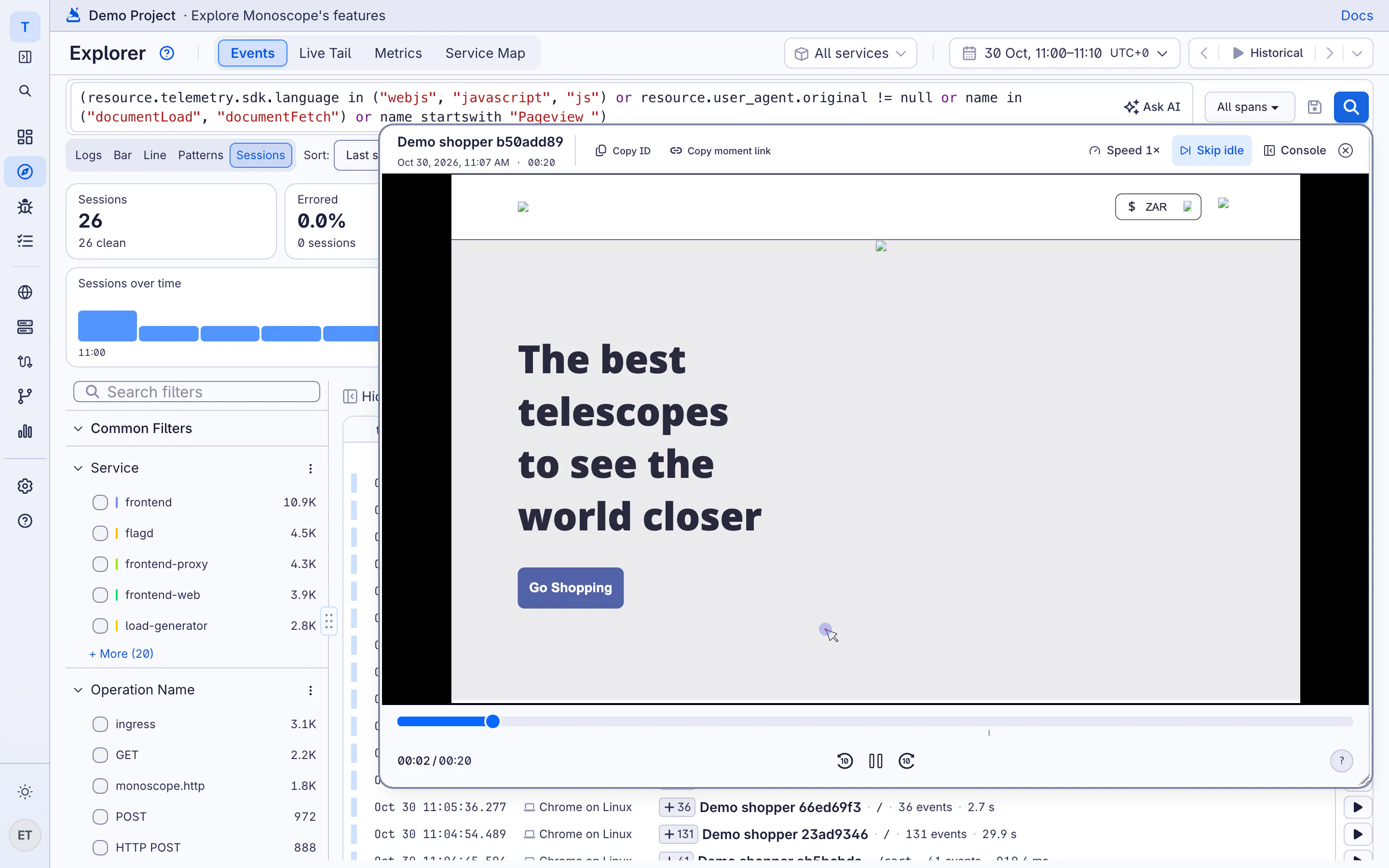
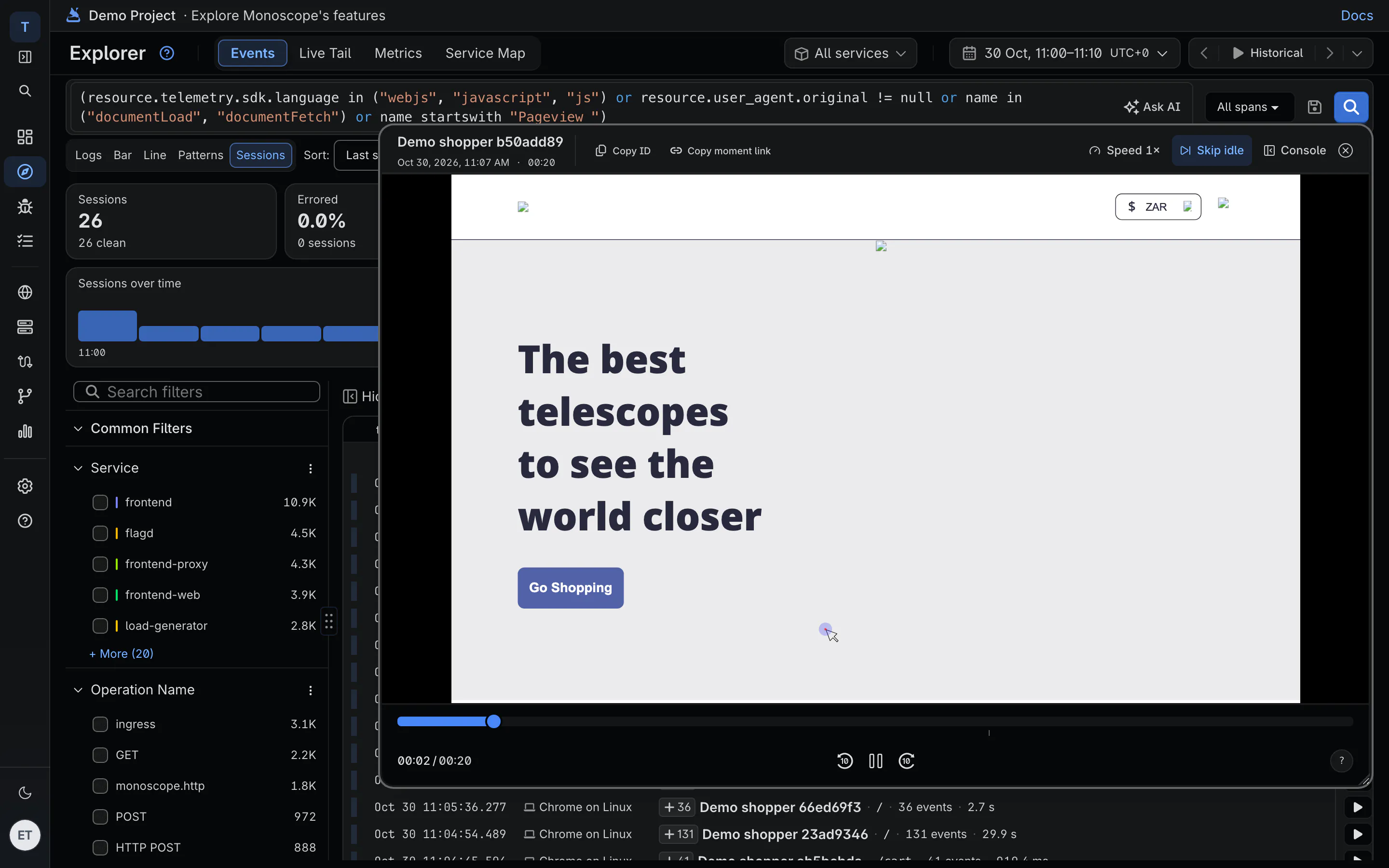
“The payment page kept spinning.” Open the session replay and watch it: the click, the spinner, the error toast. Errors and page changes are marked on the timeline, so you skip to the moment it broke.
-
Errors on the timeline
Errors and warnings are ticks on the scrubber. Page navigations are marked below them.
-
The console, in sync
Console messages and stack traces play alongside the recording.
-
Link to the moment
Copy a link that opens the replay at the exact second, for the ticket or the postmortem.
02 · The request behind it
From the screen to the server in one click
The browser SDK propagates the trace to your API, so the browser's call and the request your server handled share one trace. An issue opens with the replay of the session that hit it.
Browser SDK · propagate the trace to your API
import Monoscope from "@monoscopetech/browser";

const monoscope = new Monoscope({
  apiKey: "YOUR_API_KEY",
  serviceName: "web-checkout",
  propagateTraceHeaderCorsUrls: [/^https:\/\/api\.example\.com/],
});
-
Replay on the issue
An error in your backend shows the customer's session right next to the stack trace.
-
The body that caused it
Follow the trace to the request and response bodies your server and its suppliers saw.
-
Who it happened to
Call setUser in the SDK and replays carry the user's ID and email.
03 · Real user monitoring
Which browsers, pages and users it breaks for
A RUM dashboard shows page views, browser errors and Core Web Vitals at P75. Break the audience down by browser, operating system and device to see where the error rate is.
-
Core Web Vitals per page
LCP, INP and CLS at P75 for every page, each rated good, needs improvement or poor.
-
Audience breakdowns
Share of sessions and error rate for each browser, OS and device, plus the identified users who hit errors.
-
Saved segments
Save a filter like “Safari on iOS, sessions with errors” and reopen it with one click.
04 · Privacy and price
Masked by default, priced per replay
Inputs are masked before anything leaves the browser. You choose what share of sessions to record, and you pay for the replays you keep.
-
Inputs masked
Sensitive form fields are masked in the browser, before the recording is sent.
-
Record a sample, or all of it
Set replaySampleRate from 0 to 1. Traces and errors are recorded either way.
-
2,000 replays included
Cloud includes 2,000 session replays a month, then $1 per 1,000.
Questions
Does session replay slow down my site?
The SDK records DOM changes with rrweb and sends them in batches. Lower replaySampleRate if you only need a share of sessions.
Can I keep replays in my own bucket?
Yes. On the own-bucket plan, replays are written to your S3 bucket as rrweb JSON, next to your logs and traces.
Do I need the browser SDK for the RUM dashboard?
Yes. The browser SDK sends page views, Web Vitals, errors and replays. Your backend can use any OpenTelemetry SDK.
How is this different from setUser and setTenant on the server?
Those attach a user and tenant to backend request spans. Session replay records the browser. Use both, and a replay and the requests it made carry the same user.