AI SRE
An AI SRE that reads the actual request
It investigates with the failing request and response in front of it, checks production on a schedule, answers in Slack and opens the fix. No second tool underneath deciding what it gets to see.
01 · Why it gets it right
Other AI SREs read what another tool kept
An AI layer on top of Datadog or Sentry sees sampled spans and error strings. monoscope keeps every request and response itself, so its AI starts from the payload that failed, the trace around it and the deploy before it.
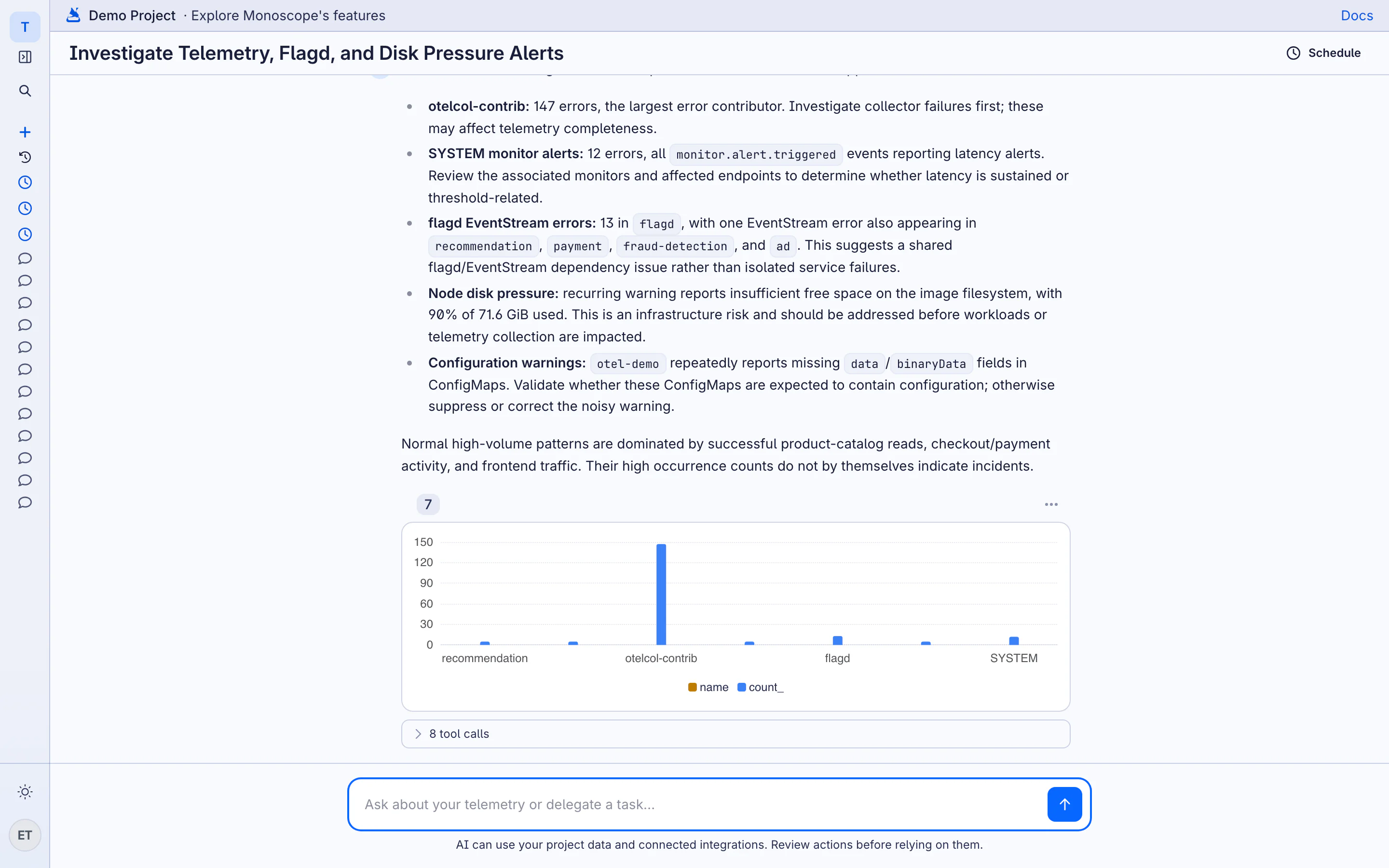
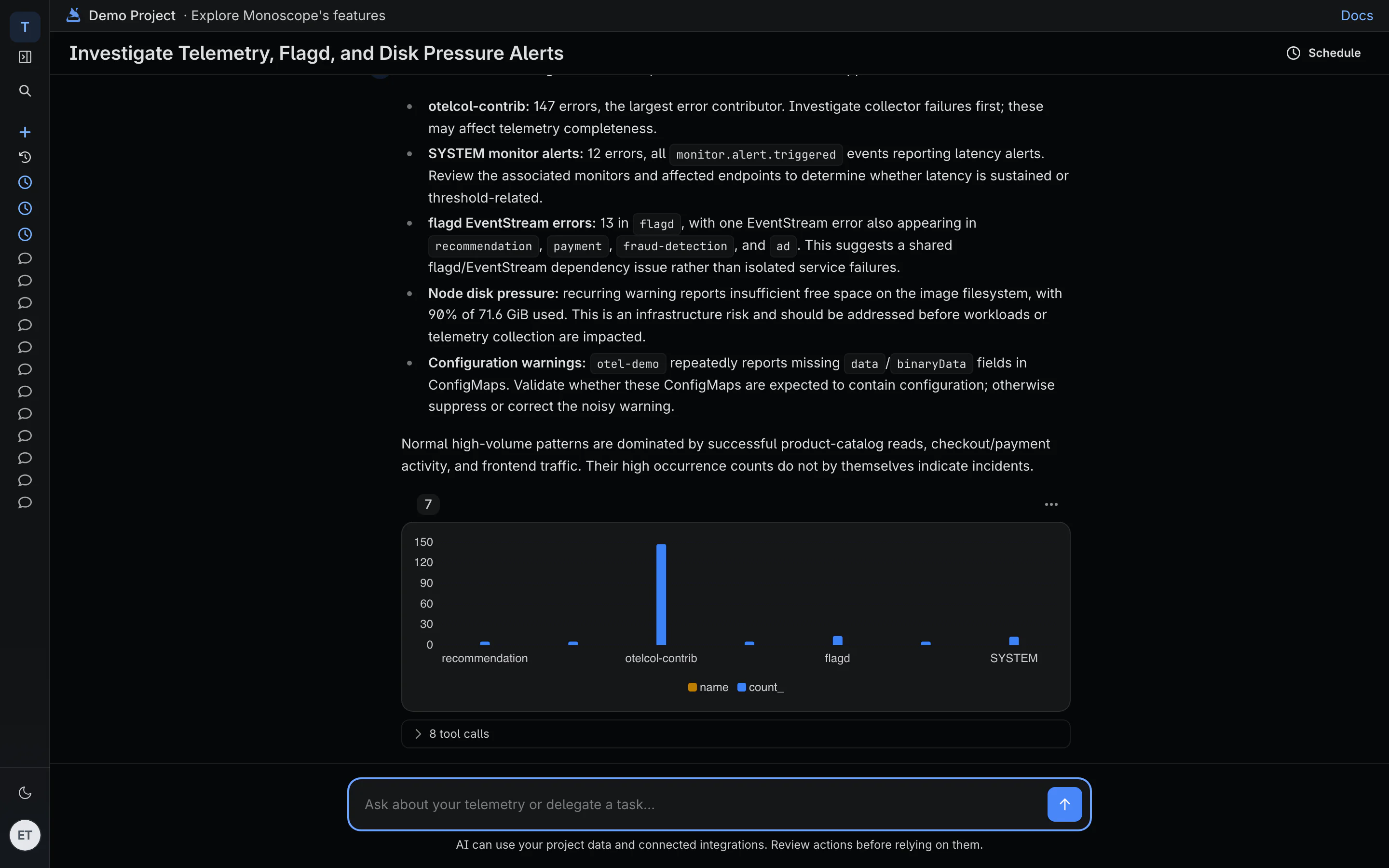
-
The request that failed, in full
Headers, body and response of the call that failed, in your API or a supplier's, plus every similar call around it.
-
Your code at the commit that ran
It reads the source around the stack frame at the deployed revision, your runbooks and recent GitHub deployments.
-
Earlier episodes of the same problem
Recurrences land on the same issue, and it pulls up related past incidents before it guesses at a new cause.

02 · Routines
Checks production on a schedule you set
A routine is an instruction and a schedule: every 30 minutes, every morning at 09:00, every Monday. It queries your logs, traces, metrics and stored requests, then posts what it found in Slack or in the AI chat, or stays quiet when nothing qualifies.
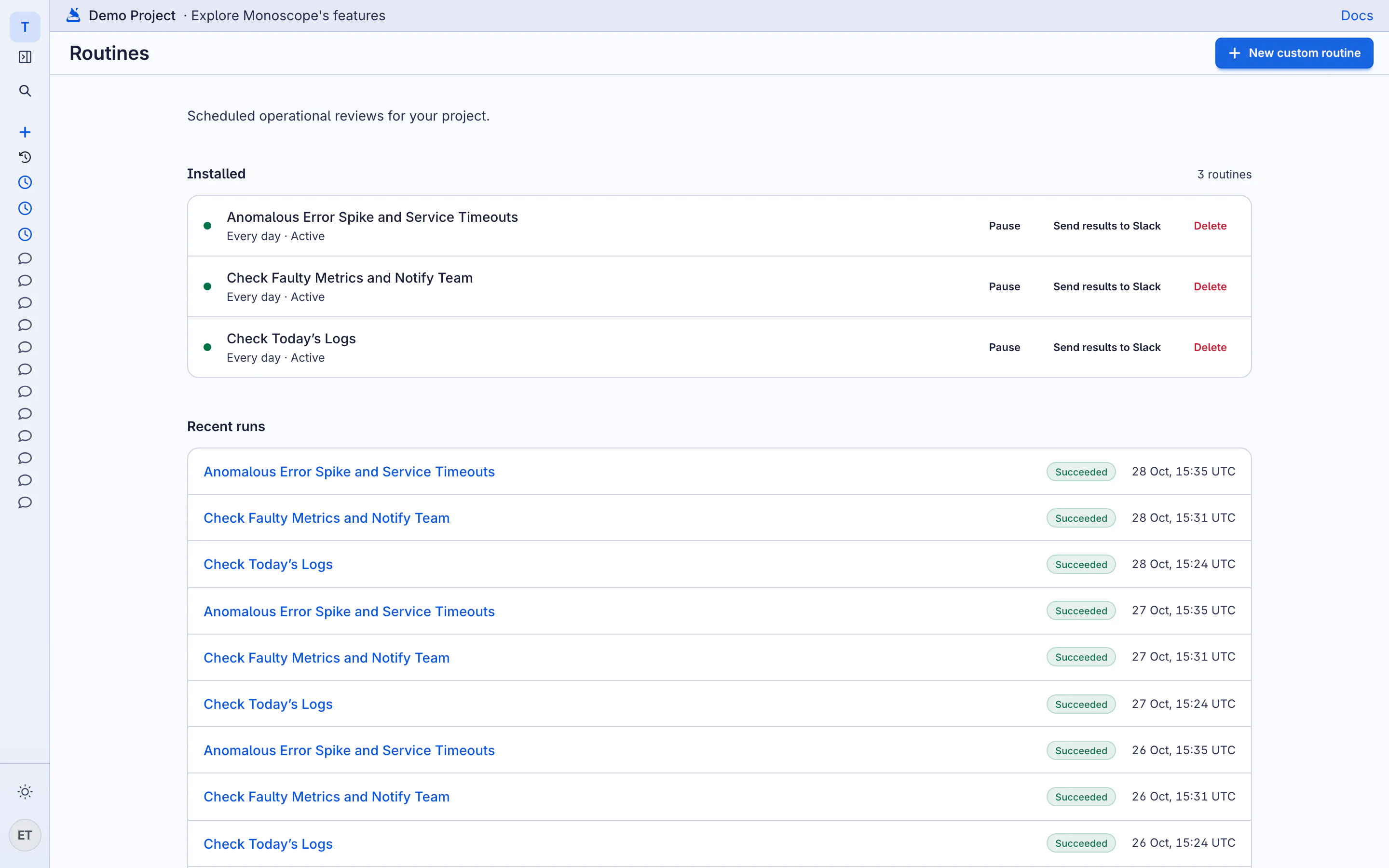
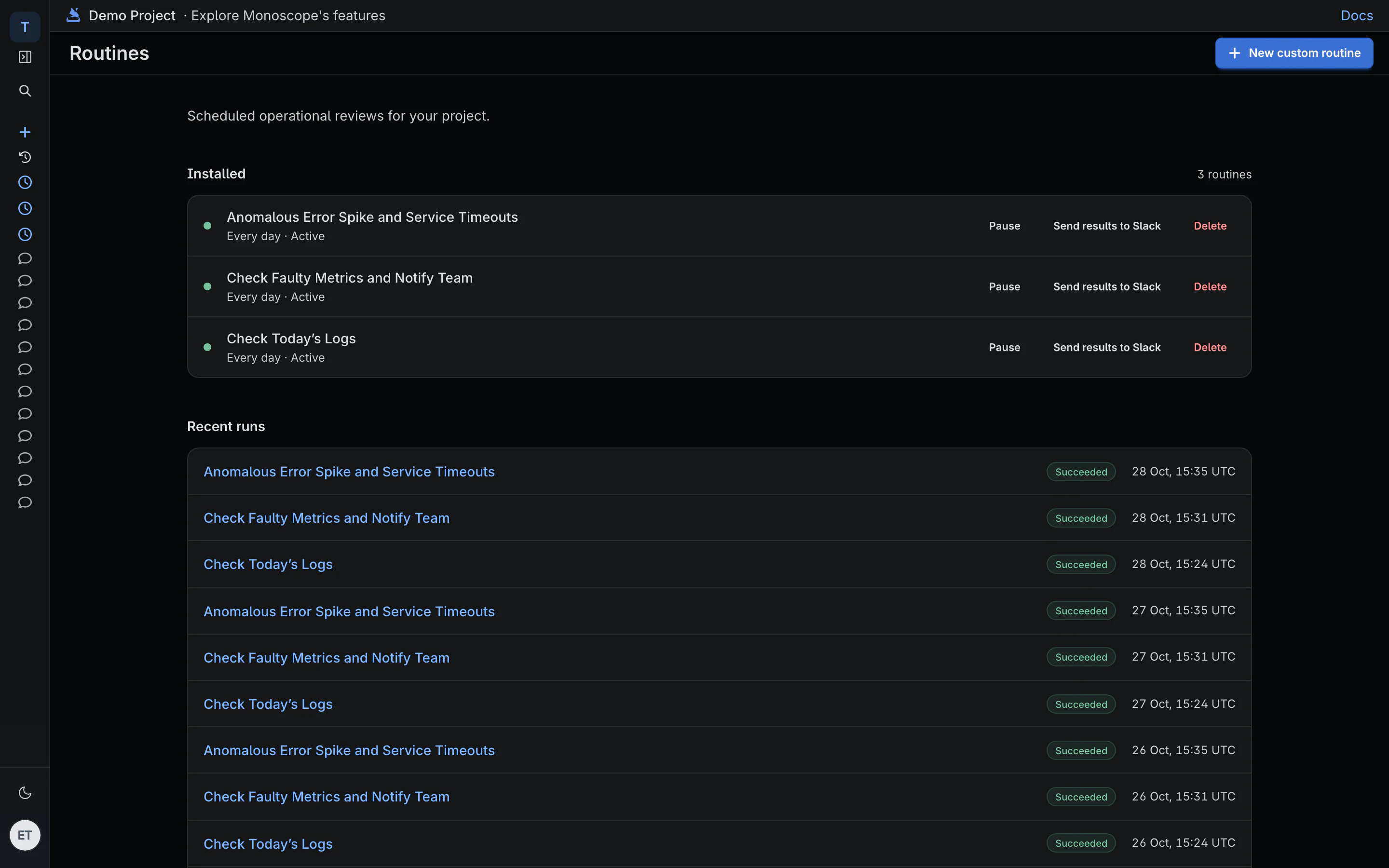
-
18 templates to start from
Daily operations briefing, Error regression radar, Dependency degradation digest, On-call handoff. Install one and edit the instructions.
-
Every new version, compared
Deployment regression review compares errors and latency before and after each service version, every afternoon.
-
Finds what nothing is watching
Telemetry gap detector flags services that went quiet. Alert quality review names symptoms no monitor caught and monitors that only make noise.
-
Reports only when it matters
Set a routine to post every run, or only when it has a finding. Each one cites the queries and records behind it.
03 · Incident to root cause
From the failing request to the root cause
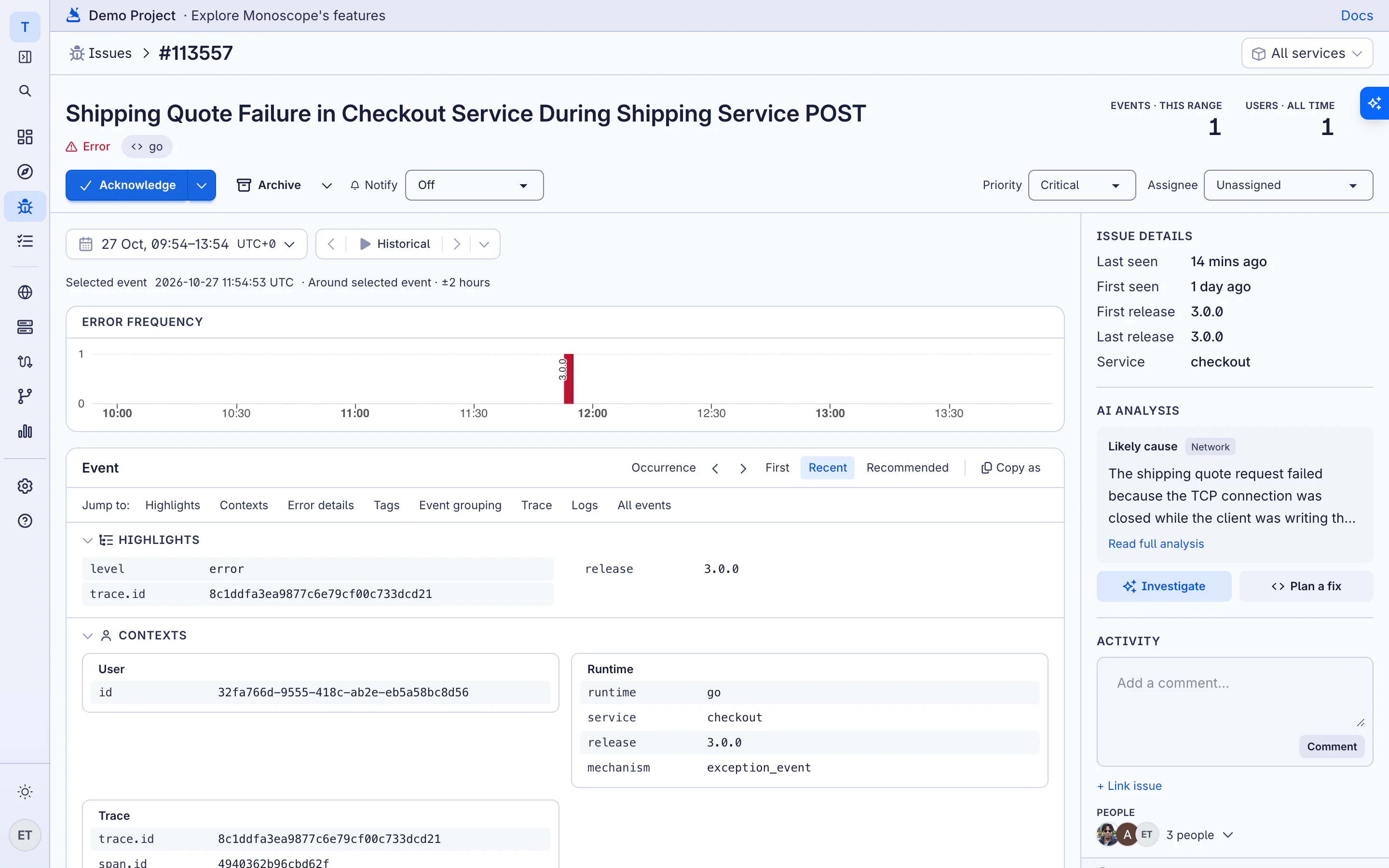
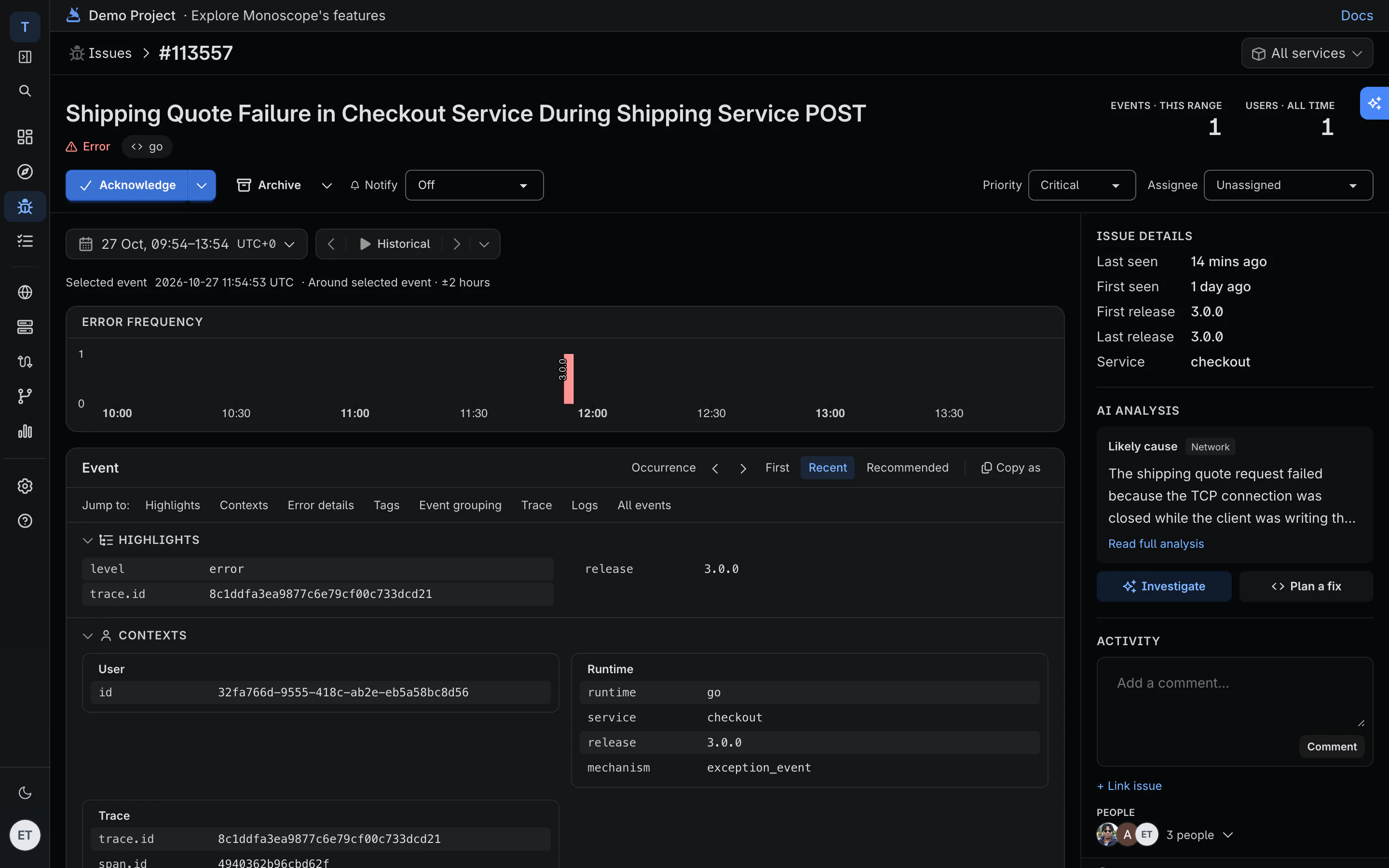
When an issue opens, the AI reads the request that triggered it, rates the severity and writes up the root cause, next to the request that shows it.
-
Severity before you open it
New errors get a root cause and a category. API changes are rated critical or safe, with breaking fields counted.
-
One issue per problem
Errors are fingerprinted, so one bug hitting thousands of requests is one issue. A monitor that fires again reopens its old issue, history included.
-
Nothing changes on its own
The AI investigates and reports. Your review and your CI decide what ships.
04 · Before it merges
Every pull request, checked against production
Link a GitHub repository and monoscope comments on each open pull request with what live traffic says about the lines it changes: how many requests hit them, how many failed, and what to check next.
-
Tied to the changed lines
Findings point at a file and line in the diff, with event and error counts from production.
-
Says when it can't tell
If the changed code has no traffic yet, the verdict says coverage unknown.
-
Advisory, per repository
Reviews never block a merge. Turn them on per repository and choose whether the evidence shows on GitHub.
05 · In Slack
Ask it anything about production
"Why is checkout slower than yesterday?" It answers in the thread from your logs, traces, metrics, stored requests and deploys, with a chart and links to the requests it used. Follow-up questions keep the context.
-
Starts from the alert
Reply to an alert thread and it investigates that incident, with the evidence already scoped to it.
-
Shows its working
A progress checklist in the thread shows each query as it runs. Stop it at any point.
-
Only for your project's members
Slack identities link to monoscope accounts, and each question is checked against project membership.
06 · Your coding agent
Give Claude Code and Cursor the same production data
A hosted MCP server, a CLI built for agents and open-source Claude Code skills. Your agent asks what broke and gets the stored request and response back, not a guess from the code.
terminal
# The CLI, for your terminal, CI and agents
curl -fsSL https://monoscopehq.com/install.sh | sh
monoscope issues list --json
monoscope logs search 'body has "tracking_id"' --since 6h

# Skills for Claude Code
claude plugin marketplace add monoscope-tech/skills
claude plugin install monoscope-skills@monoscope-skills

# Hosted MCP server, about 50 tools, same API key
https://api.monoscope.tech/api/v1/mcp
-
Hosted MCP server
About 50 tools for Claude Desktop, Cursor or your own agents. Nothing to install.
-
A CLI that answers in JSON
One binary. Piped output switches to JSON with a stable shape, so scripts and agents parse the same thing every time.
-
Claude Code skills
Investigate an incident, triage on-call, manage monitors and add instrumentation, in Claude Code or Codex.
Questions
Does the AI change production on its own?
No. Routines can't act unless you allow actions for that routine, and its pull request reviews are comments only. Your review and your CI decide what ships.
What does it read that other AI SREs don't?
The request and response bodies of your API calls and the calls you make to suppliers, kept on Cloud without sampling, next to logs, traces and metrics. AI layers that sit on Datadog or Sentry only see what those tools kept.
Is this AIOps, or AI root cause analysis?
It does the root cause part. Each new error gets a written root cause and a category, and an investigation cites the requests, traces, logs and deploys it used. It doesn't replace your incident process; it gives it evidence.
Do I need your SDK, or is OpenTelemetry enough?
Any OpenTelemetry exporter works for logs, traces and metrics. Request and response bodies come from the monoscope SDKs, which redact the fields you list before anything leaves your app.
Can it read our code?
Only repositories you link. It reads source at the exact commit that was deployed, your runbooks and your GitHub deployments, so its answer matches the code that ran.
Do I have to move off Datadog first?
No. Run monoscope next to it for a week or two and compare what each one catches. We help you move exporters, dashboards and monitors when you're ready.