

Integrations
The Integrations page sets where monoscope sends alerts for the project: email, Slack, Discord, WhatsApp and PagerDuty. Open Settings → Integrations.
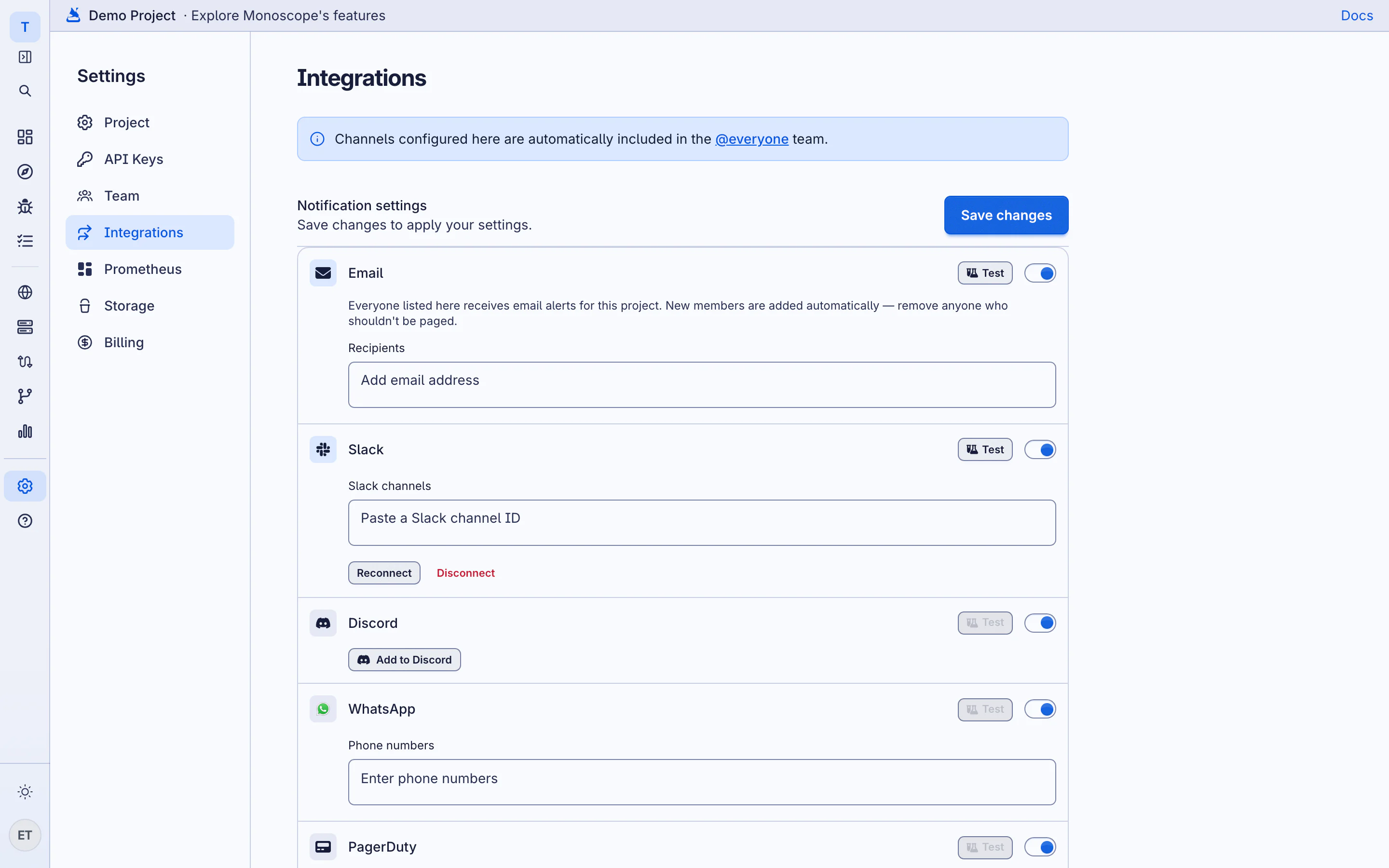
The channels on this page belong to the @everyone team, which includes all project members. To send some alerts to a smaller group, create a team with its own channels.
After you change a channel, click Save changes.
Channels
| Channel | How to connect it |
|---|---|
| Add the email addresses under Recipients. New project members are added automatically. | |
| Slack | Click Connect Slack agent and approve the app in Slack. Then add channels under Slack channels. Invite the monoscope app to each channel. |
| Discord | Click Add to Discord and select the server. Then add channels under Discord. |
| Add phone numbers under Phone numbers. | |
| PagerDuty | In PagerDuty, open Services → Integrations and add an Events API v2 integration. Paste its Integration Key and click Connect. |
The Slack and Discord apps also let your team ask the AI SRE questions from a channel.
Test a Channel
Click Test next to a channel to send a test alert. Test History lists each test with its status, channel, alert type and time. You can send one test every 60 seconds.
User Identity in Alerts
Include affected user identity in alerts adds the user name and email from your telemetry to Slack error alerts. It is on by default. If alerts for this project must not contain personal data, turn it off.