

Session Replay and RUM
Real User Monitoring (RUM) shows what your users see in the browser: page loads, web vitals, errors and clicks. Session replay plays back a user’s session with the browser console next to it, so you can see what the user did before an error.
RUM and session replay need the monoscope browser SDK. The SDK records sessions with rrweb and masks sensitive inputs by default.
RUM Dashboard
Open Real User Monitoring → Dashboard in the sidebar. Use the Application filter at the top to show one app. The dashboard has four tabs:
- Overview: sessions, browser errors, page views, P75 page load, top pages and recent sessions.
- Web Vitals: the P75 of each Core Web Vital over time, and the vitals of each page.
- Errors: browser error volume, the sessions and users affected, and a table of browser errors.
- Audience: sessions, identified users, and the browsers and operating systems they use.
Find a Session
Open Real User Monitoring → Sessions. This opens the Explorer with the Sessions visualization. The cards at the top show the number of sessions, the share of sessions with errors, the median and P95 duration, and the number of users.
Sort sessions by Last seen, First seen, Duration, Errors or Events. Use a query or the facets to filter them. For example, to find the sessions of one user:
attributes.user.email == "[email protected]"
Replay a Session
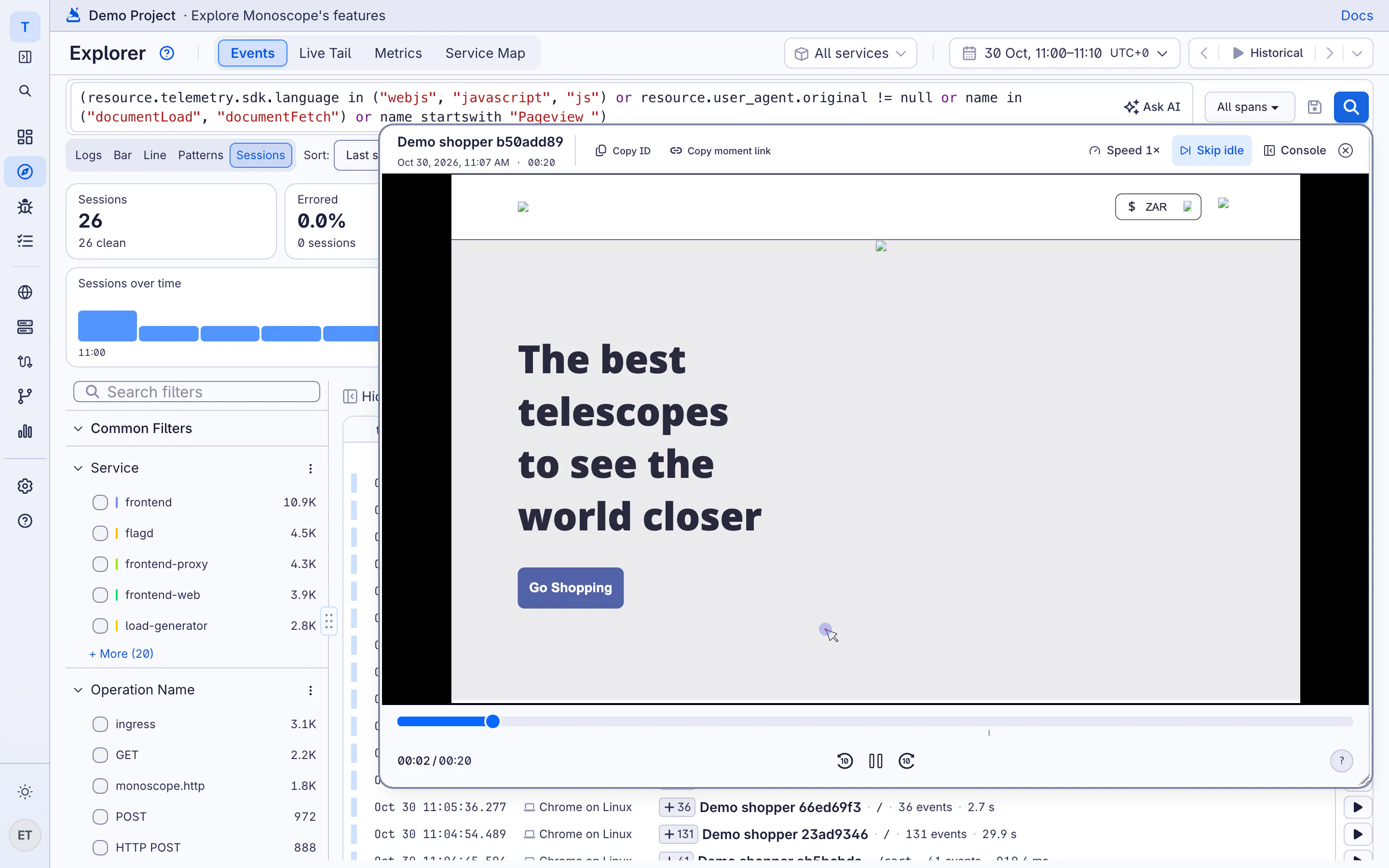
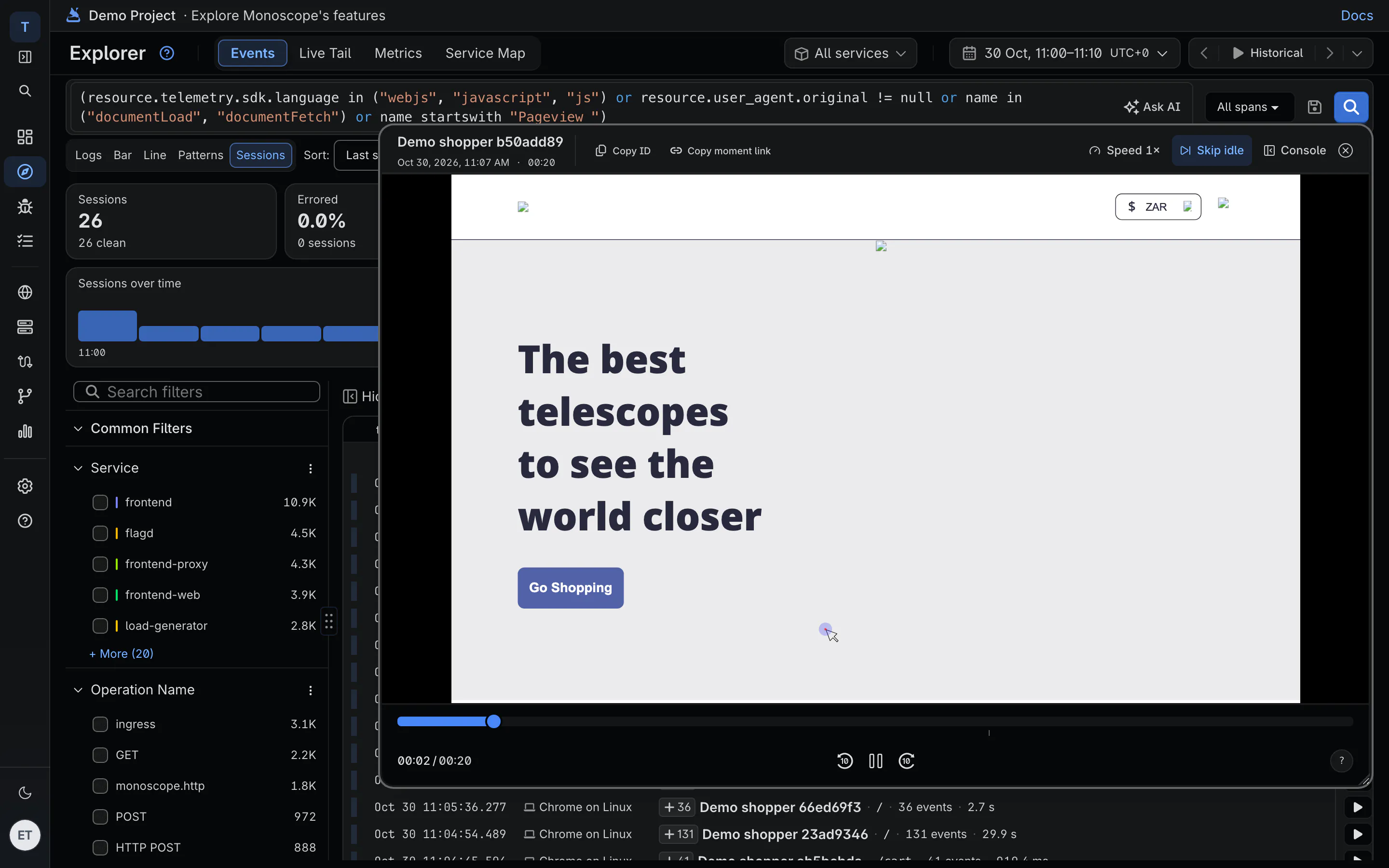
Click a session to open the player. You can also open a replay from an issue that has a session, or from a shared event.
-
Next error (keyboard shortcut
N) jumps to the next error and opens the console. - Skip idle skips idle periods longer than 2 seconds.
- Playback speed changes how fast the session plays.
- The console panel shows the errors, warnings and logs of the page. Filter it by level.
- Share moment copies a link that opens the player at the current time.
To see all keyboard shortcuts, open Keyboard shortcuts in the player.