

API Catalog
The API Catalog lists every API host that your services serve or call, and every endpoint on each host. monoscope builds it from your traffic, so new endpoints show up without any setup. Open API Catalog in the sidebar.
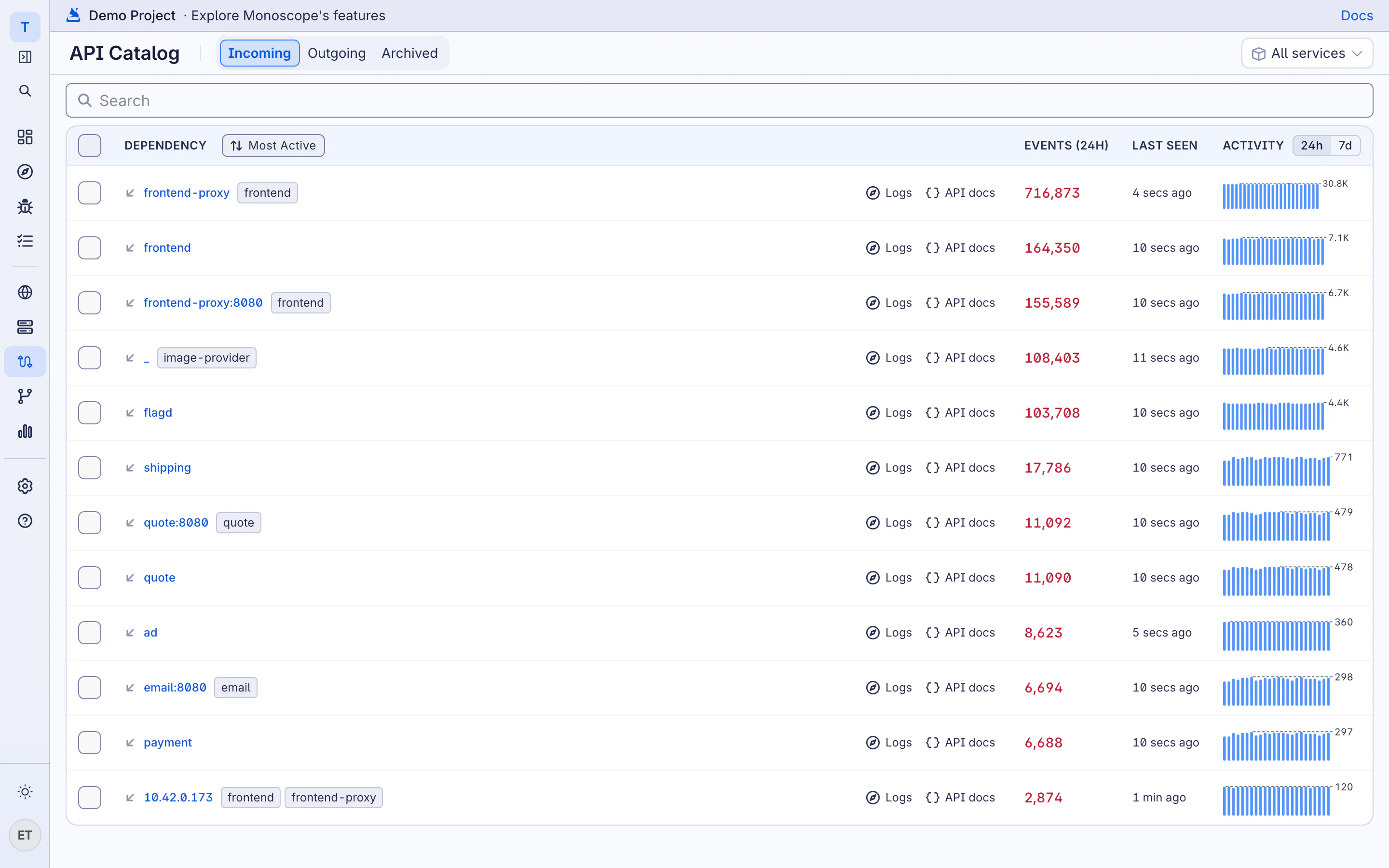
Incoming and Outgoing
- Incoming lists the hosts that your services serve, such as your public API.
- Outgoing lists the hosts that your services call, such as a payment provider or another internal service.
Outgoing APIs are often where an outage starts. A supplier changes a response field or slows down, and your service fails. The catalog shows these calls next to your own endpoints, with the full request and response of each call in the Explorer.
For each host, the list shows the events in the last 24 hours, when the host was last seen, and an activity chart. Sort the list by Most Active, Most recently accessed or Alphabetical. Use Logs to open the host’s events in the Explorer.
Endpoints
Click a host to see its endpoints. Each endpoint shows its method, its path, its request count and its activity. monoscope replaces IDs in paths with parameters, so /users/42 and /users/43 count as one endpoint: /users/{param}.
To hide an endpoint that you no longer use, select it and click Archive. Archived endpoints are on the Archived tab, where you can Unarchive them.
When monoscope sees a new endpoint, or a field added to, removed from or changed in a request or response, it opens an API changes issue.
Learned API Docs
Click API docs on a host to see the OpenAPI 3.1 document that monoscope learned from the traffic. It shows each endpoint with its parameters and the schema of its request and response bodies.
- Try it out sends a request to the endpoint from the browser.
- Download openapi.yaml downloads the document. You can import it into Postman, generate a client from it, or commit it to your repository.